There's a moment most people have had by now. You're looking at something to do with your money, the structure of a loan, the split of an asset, the way an entity sits, and you wonder what a general-purpose AI would say about it. The first instinct is to paste the whole thing in and ask. The second instinct is to stop, because pasting the whole thing in means pasting names, addresses, account numbers and balances into a service you don't really know.
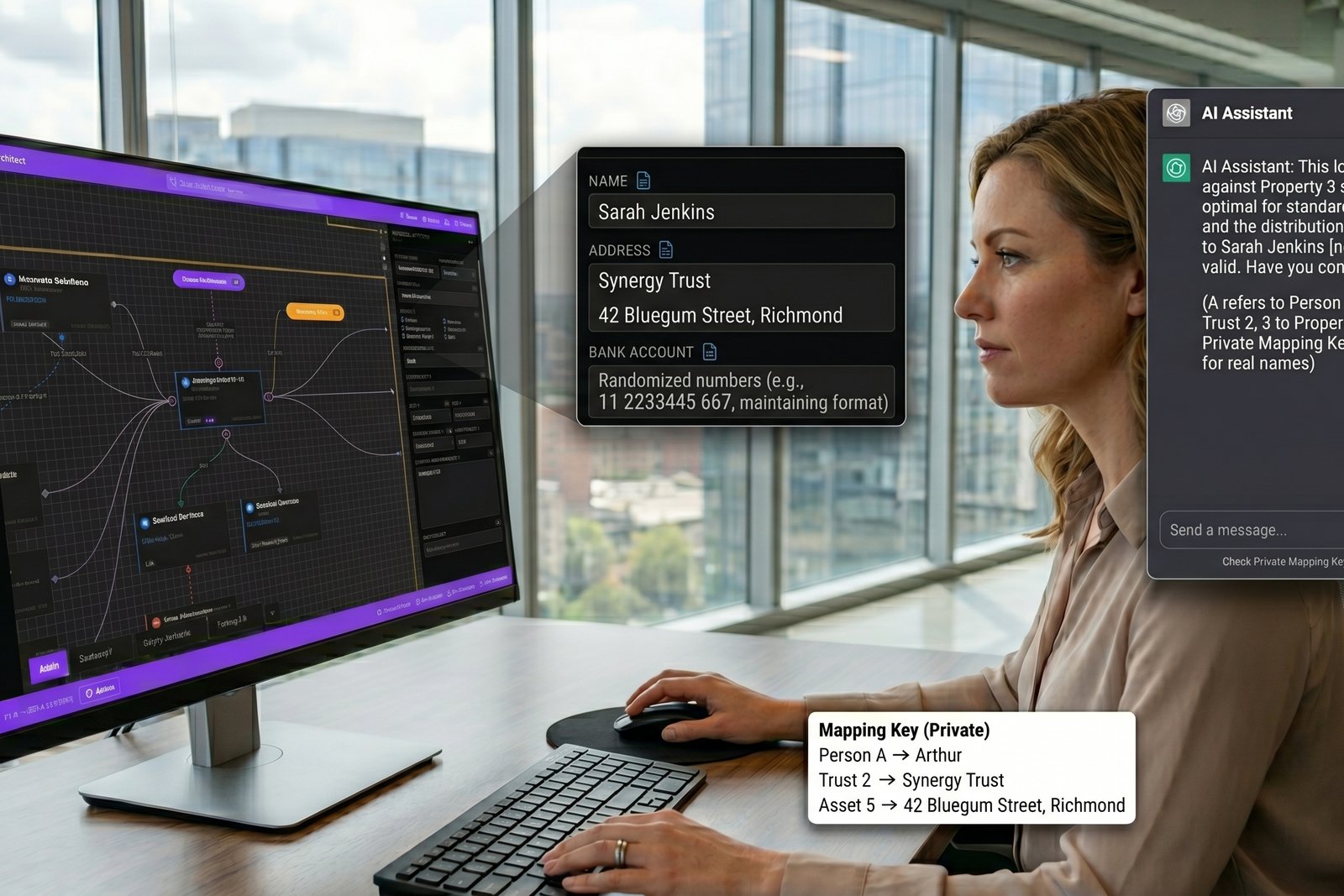
Keystone adds a button that makes the first instinct safe. "Copy anonymised snapshot" takes your canvas and turns it into a structural summary the AI can reason about: every dollar value, every percentage, every relationship between tiles, all intact. Every real name is swapped for a label like "Person A", "Trust 2", "Property 3" or "Account 5". Addresses, phone numbers, bank account numbers and policy numbers are removed entirely.
The trick is the mapping key. The button doesn't just copy the anonymised version; it also gives you a small lookup that maps "Person A" back to the real name, "Trust 2" back to the real trust, and so on. You paste the anonymised snapshot into ChatGPT or Claude, ask your question, and when the answer comes back referring to "Person A" or "Property 3", the key tells you who and what it means in your own structure. Nothing identifying ever left your screen.
Structure-level questions are exactly where a general-purpose AI is useful. Does this loan sit against the right asset for the deduction. Is this distribution path doing what it's supposed to. Would moving this property between entities change anything material. None of these need to know your real name to answer. They need to know the shape of the arrangement, the dollars, and the relationships. That's precisely what the anonymised snapshot carries.
Keystone is the source of truth. The AI is for second opinions, framing, sanity checks and finding the questions you didn't know to ask. The decisions stay where they belong, with you and the professionals you trust. The point of the snapshot is to make a useful conversation safe to have, not to outsource judgement.
It's one button, and during the beta it's free. The next time you have a question you'd like to sound out with an AI, you can do it without handing over the parts of your life that have nothing to do with the question.